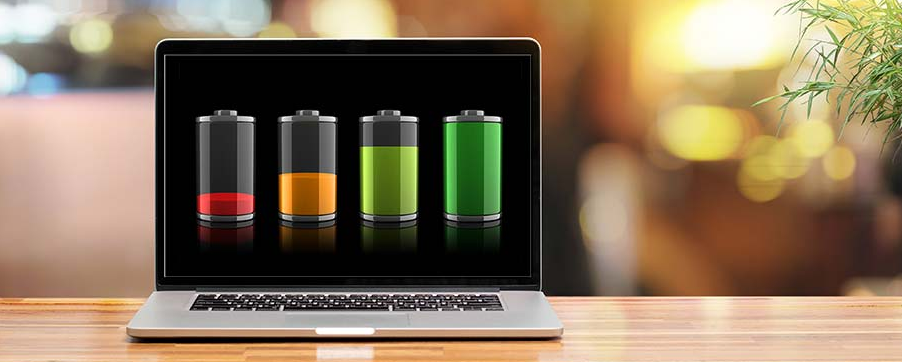
Laptop battery life is one of the biggest concerns for students, professionals, and remote workers. No matter how powerful your laptop is, poor battery performance can disrupt your workflow and force you to stay close to a power outlet. In 2026, laptops are more efficient than ever, but battery drain is still a common issue.
The good news is that you don’t need advanced tools or technical expertise to extend your laptop’s battery life. Small, practical changes can make a noticeable difference in daily use.
Why Laptop Batteries Drain Faster Than Expected
Battery drain often has less to do with battery health and more to do with how the laptop is used. High screen brightness, background apps, constant connectivity, and inefficient power settings slowly drain energy throughout the day.
Understanding these factors helps you take control of battery usage instead of blaming the hardware.
Adjust Screen Brightness and Display Settings
Your screen is one of the biggest power consumers.
Simple Adjustments That Help
Lowering brightness to a comfortable level can instantly reduce power usage. If your laptop supports adaptive brightness, enabling it allows the system to adjust automatically based on lighting conditions.
Using darker display themes can also help, especially on newer screens.
Manage Background Applications
Many applications continue running even when you’re not actively using them.
Why This Matters
Background apps consume power by using memory, processing resources, and internet connectivity. Closing unnecessary programs can significantly improve battery performance.
Review startup programs and disable apps you don’t need running all the time.
Use Built-In Power Saving Modes
Modern laptops include power management features designed to extend battery life.
How Power Modes Help
Power-saving modes reduce background activity, limit performance spikes, and optimize energy usage. These modes are especially useful when working on documents, browsing, or watching videos.
Switching power modes based on your task can extend battery life without affecting usability.
Keep Your System Updated
Software updates often include performance and efficiency improvements.
Why Updates Matter
Outdated software may use more power than necessary due to bugs or inefficient processes. Keeping your operating system and drivers updated ensures better energy management.
Regular updates also improve system stability and security.
Reduce Unnecessary Connectivity
Wireless features consume more power than many users realize.
What to Turn Off When Not Needed
- Bluetooth when no devices are connected
- Location services for unused apps
- Background syncing for non-essential programs
Disabling unused connections can extend battery life during long work sessions.
Optimize Browser Usage
Web browsers can quietly drain battery power.
Smarter Browsing Habits
Using fewer tabs, closing resource-heavy websites, and avoiding unnecessary extensions can reduce power usage. Streaming high-resolution video for long periods also drains batteries faster.
Choosing efficient browsing habits makes a noticeable difference.
Control Notifications and Syncing
Constant syncing keeps your laptop busy.
Why This Matters
Email, cloud storage, and messaging apps frequently check for updates in the background. Adjusting sync intervals or pausing syncing when battery is low can reduce power consumption.
You stay productive without unnecessary energy loss.
Proper Charging Habits Matter
How you charge your laptop affects long-term battery health.
Best Practices
Avoid keeping your laptop plugged in at all times. Charging between moderate levels helps preserve battery capacity over time.
Using the original charger or a certified replacement also ensures safe and efficient charging.
When to Replace a Laptop Battery
Sometimes, no amount of optimization helps.
Signs of Battery Wear
- Rapid battery percentage drops
- Inconsistent charging behavior
- Extremely short battery life
If your battery shows these signs, replacement may be the best solution.
Final Thoughts
Improving laptop battery life in 2026 doesn’t require drastic changes. By adjusting display settings, managing background apps, and using built-in power features, you can extend usage time and reduce charging stress.
Smart habits, combined with efficient settings, make your laptop more reliable throughout the day.